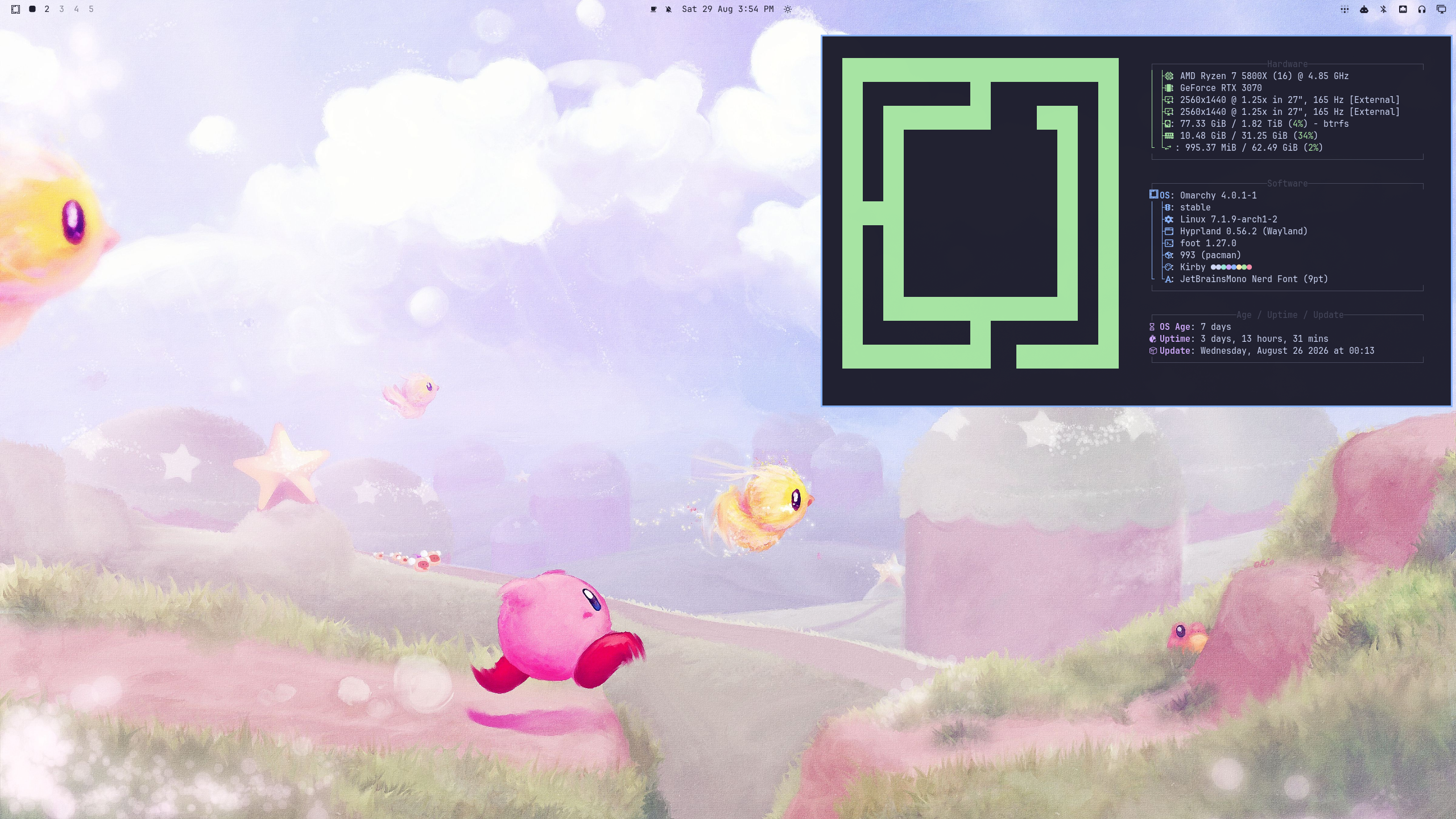
I have been using Omarchy for the last seven days on my main workstation PC, switching from Windows 11. I plan to stick with Omarchy for the time being.
My Initial Perceptions of “Linux on the Desktop”
My perception of Linux up until the last two weeks was that it was really only useful for servers, where the stability of the Linux kernel is a requirement to keep services up with as high uptime as you can possibly achieve.
As a desktop operating system, for a computer that I watch YouTube videos and game on, I maintained a pretty pessimistic view.
That isn’t to say that I never gave Linux a fair chance. Using virtual machines on Hyper-V, VirtualBox, and whatever virtualization software I can find on Windows, I have used an assortment of distributions including Ubuntu, Fedora, Vanilla Arch, Zorin OS, and Cachy OS across multiple desktop environments including GNOME, KDE Plasma, XFCE, and Zorin. None of them even got me close to switching to Linux.
Most of the Linux distributions I used always looked like they could be more polished, which I attributed to them not being funded by trillion-dollar companies with enough capital to hire teams of UI designers.
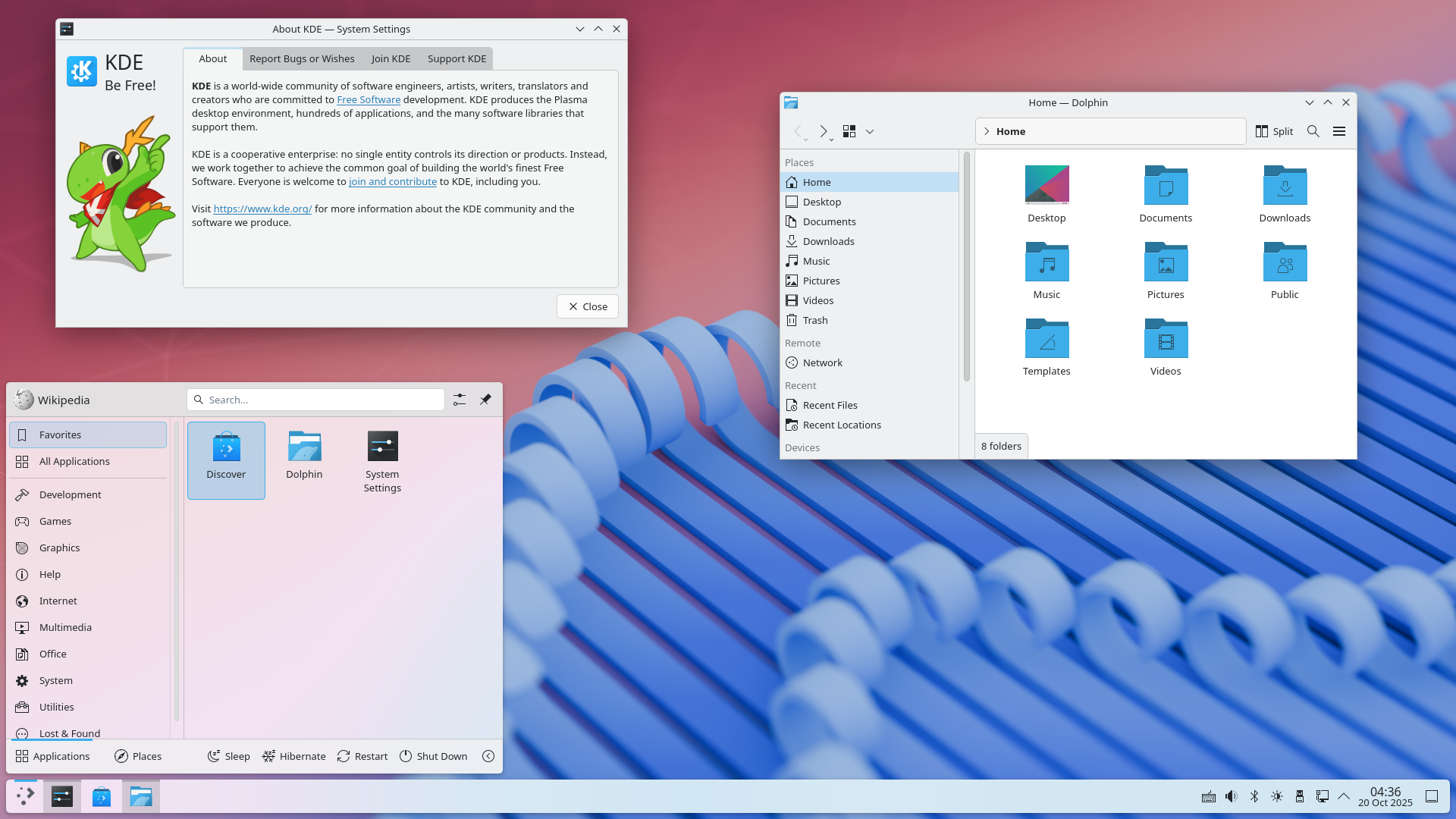
In my eyes, most popular Linux desktop environments attempt to copy an already popular OS like Windows or macOS. My question is why should I switch to Linux just to get an operating system that imitates the same OS I just switched away from?
That is to say, my main blocker for switching to Linux is that the desktop environment was never even close to competing with Windows in terms of aesthetics, functionality, and attention to detail. The lack of a decent open-source desktop environment never stopped anyone from using Linux, as Linux still remains the OS for servers and the backbone for other trillion-dollar companies to build on top of.
My First Impressions of Omarchy
The first time I heard about Omarchy, I knew vaguely that it was some Arch Linux distribution made by DHH, the person who made a web framework called Ruby on Rails (which powers many top websites including GitHub). I was curious, visited their website, and wasn’t particularly interested at all in it.
This was before the latest major update to Omarchy Quattro (4). After using the new and improved Omarchy 4 for the last seven days, the website seriously undersells how good this operating system is with less than three minutes of configuration.
What reminded me of this operating system was NetworkChuck’s video about Omarchy 4. The one idea that he mentioned in the video that made me switch was a pretty simple fact about the technology industry in 2026. Here is my rough paraphrased take on it.
AI agents are powerful enough such that you can just ask an AI agent of your choosing to configure the operating system for you. You don’t need to spend hundreds of hours configuring your computer anymore.
Many Linux enthusiasts cite this as one of the main reasons why 2026 is the “Year of the Linux Desktop” and it does make sense. After using Omarchy for a week, I find that after the initial configuration, I never really needed to use my AI agent for much, since the operating system is polished and put together enough to stand with minimal AI assistance. I appreciate how integrated the AI agents are with the operating system when I need it, as Omarchy has a Claude skill that proves extremely useful when I need it to fix anything with the core operating system itself.
My First Day
This operating system has a learning curve, with the philosophy being that if you take twenty minutes learning how to use your operating system more efficiently, it will pay dividends over the years using your computer. While Windows and macOS cater to the general public, who don’t want to read a manual to simply use their computer, Omarchy is definitely a “power user” distribution, for those who love computers.
There are no desktop icons, there aren’t even close/minimize/maximize buttons on windows. You can do pretty much everything using just the keyboard.
Even before Omarchy, I transitioned away from using the mouse or trackpad for most tasks, especially on a laptop, as using a trackpad is incredibly slow for my needs. Omarchy felt like an operating system molded around the workflow I already use. I understand that most people don’t have the time nor care enough to use these shortcuts, but I agree with the general sentiment that twenty minutes learning how to use your computer more efficiently can pay off significantly, mainly in the form of reduced wrist pain.
The Learning Curve
Even though I was accustomed to many of the shortcuts, switching to Linux still has a learning curve, from installing apps with the AUR to using a “window manager” instead of a desktop environment.
The general consensus is to just give it a week before you are comfortable with the operating system, and for the most part that is accurate. Due to Omarchy, and by extension DHH, generally aligning with how I use my computer, it only took me a single day to match and beat the speed of Windows for doing my tasks. Expect two or three days to feel truly comfortable.
Configuration - it could be easier
I never had to configure my monitors, by complete chance they were configured correctly the moment I used Omarchy, but this is definitely not guaranteed to happen.
If you ever need to change your monitor configuration (or really configuration related to Omarchy), you must edit a configuration file, in this specific case ~/.config/hypr/monitors.lua.
To illustrate how this could be annoying for some, in order to reposition monitors, you must do math to figure out where the top left corner of each monitor should be (0x0 for the first, 2560x0/1920x0 for the next, etc) while also figuring out the names of each of your monitor inputs with hyprctl monitors.
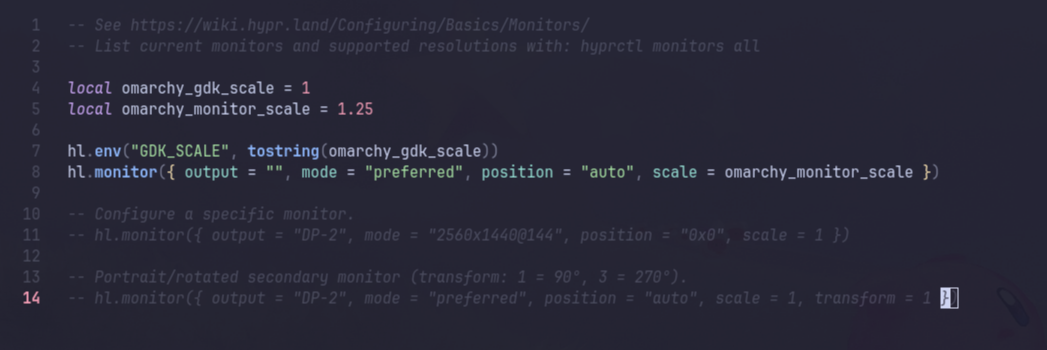
There are third-party TUIs that can be installed, but I think a simple built-in monitor GUI similar to Windows would be greatly appreciated for many people, especially as it might be their first impression of the operating system.
Purpose of an Operating System
In my opinion, an operating system’s main purpose is to allow your computer to run your apps and allow them to coordinate together, otherwise getting out of your way.
Windows, macOS, Linux, whatever, it doesn’t really matter what is underneath as long as it can run the apps you need and run them well.
Any Chromium-based app (Chrome, Discord, Spotify) works perfectly and is literally one Super+Space away from being installed. Seriously, I wish that it was this easy to install apps in other operating systems.
Coding applications are first-class on Linux, with many of the development tools I use such as Claude, Git, Bun, etc. being designed and optimized to run on Linux first (since Linux is so dominant as a server). Btrfs, which I like to call “Butter FS”, completely obliterates anything Windows has on the consumer side in terms of filesystem performance, even outperforming macOS’s APFS in daily development tasks. Small creature comforts like being able to copy gigabytes of small files instantly due to the “Copy on Write” philosophy make Windows NTFS feel stupid by comparison.
I was both impressed and surprised to find quite niche applications on the AUR (Arch User Repository), including but not limited to Cisco Packet Tracer and VPN software. Combined with Claude being able to find and set up the best application for your specific needs, I haven’t found any blockers when it comes to productivity applications (as long as they aren’t exclusive to a specific OS).
Gaming on Omarchy
Gaming is where it gets a bit interesting. If you want to play Fortnite, Overwatch 2, Valorant, or any game with anticheat, this operating system (and Linux in general) is not for you. I am not sure if they will ever allow these games to work due to the security required by these anticheats.
Minecraft in versions >=1.13 works essentially perfectly, with any versions below it (including the 1.8.9 version I play) requiring a few tweaks to fix outdated libraries not being optimized for Linux. I have built my own client that is compatible with my preferred launcher (Prism Launcher) and fixes these problems. When it comes to even remotely competitive Minecraft, Linux is actually more optimized than macOS (working perfectly with my gaming peripherals, not locking Ctrl + Left Click => Right Click).
My client, Dolphin Client, can run at >3000 FPS in Hypixel 1.8.9 on Omarchy.
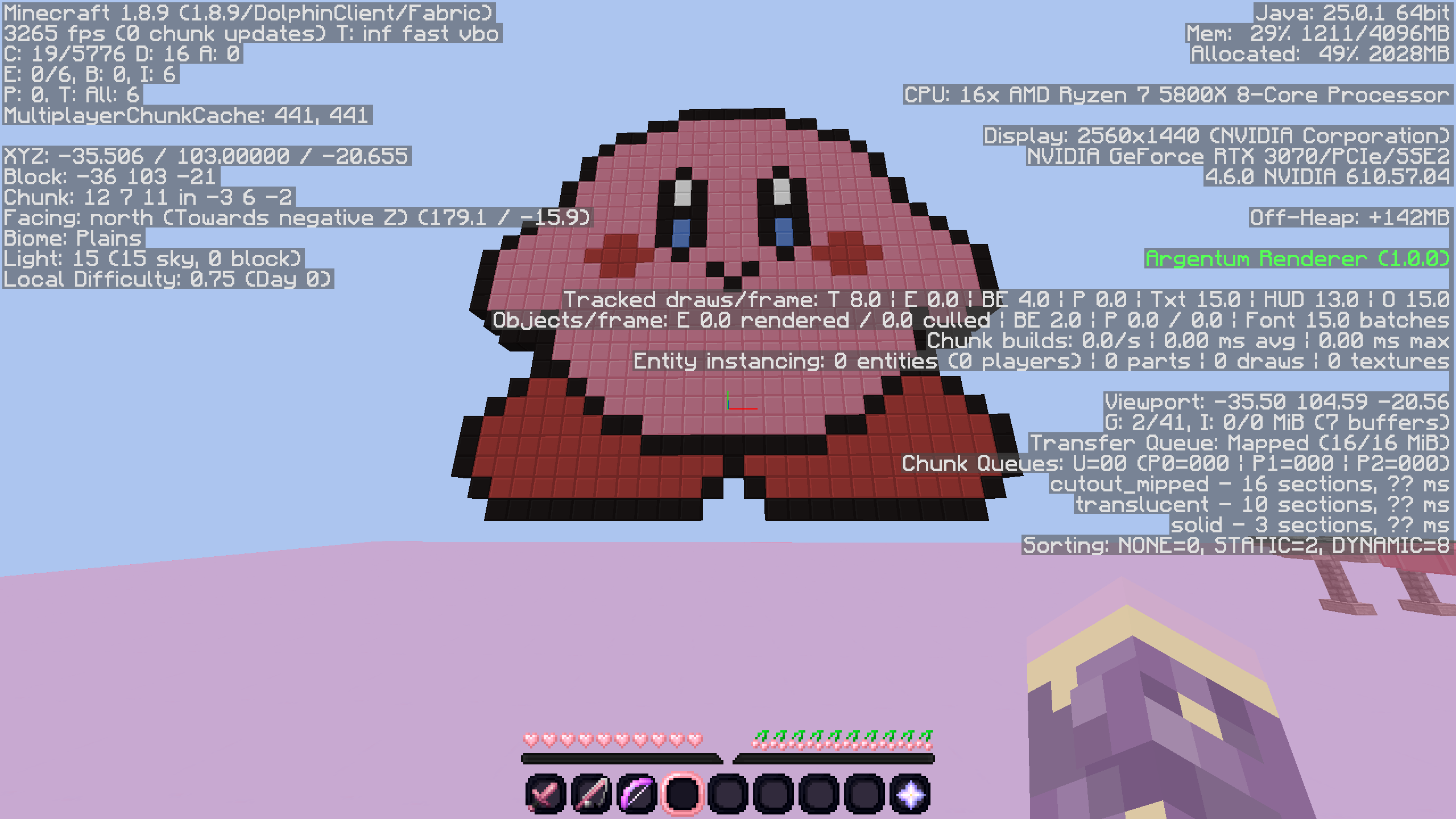 Most of this performance comes purely from optimization within my client, performance in gaming between Linux and Windows is essentially identical in my testing.
Should you switch?
In my opinion, you should switch if you check all of these boxes:
- You are using an x86 computer.
- You don’t mind not being able to play Fortnite, Overwatch 2, Valorant, or most games with anticheat (research the game first).
- You have some Linux and development experience (from servers or otherwise).
- You are willing to jump through a few small hoops at the beginning to port over features (Windows Hello, correcting monitor position).
- You are sick of Windows for any reason whatsoever.
Regardless, it doesn’t hurt to try the OS on a secondary SSD if you have one lying around, as that is what I am currently doing (I still have Windows 11 on my main SSD). You can either use a dedicated external SSD or grab an SSD from an old laptop to use.
I would recommend taking out your old SSD to eliminate the possibility that you accidentally wipe/install to the wrong drive.
If none of these are options for you, you can always try using a virtual machine (through Hyper-V or otherwise), with the caveat that it won’t match the smoothness or graphical performance of bare-metal, nor will it allow you to compatibility test your specific hardware/peripherals. I initially used Hyper-V to test out Omarchy before deciding to install it on an external T7 Shield SSD.
Update 9/5/2026: I recently found out about Try Omarchy, where you can try Omarchy with one click in an optimized VM at https://tryomarchy.com. I would recommend anyone interested in Omarchy trying this out first.
QOL Improvements
If you do decide to switch, here are some QOL improvements for Omarchy that might aid you in your quest.
Keep in mind, this is what I found in the week of using Omarchy, I am sure there are many QOL features I have yet to find.
Essential
- Fix Sleep/Lock:
omarchy plugin add https://github.com/dsnsgithub/omarchy-lock-fix
omarchy restart shell- Fix NVIDIA Driver + Chromium Browser Memory Leak
Add this to ~/.config/chrome-flags.conf (edit respective flags if using other Chromium-based browsers)
--disable-gpu-memory-buffer-video-framesWorth It
Remove Chrome Managed Policies
Install Google Chrome (Super + Space, Install > Browser), delete Chromium (Super + Space, Remove > Browser). Then clean out any managed policies (creates weird Chrome themes, locks secure DNS for some reason).
sudo rm -rf /etc/opt/chrome/policies/managed
sudo rm -rf /etc/opt/chrome/policies/recommended
Change Chrome Font (to make it look good on Linux)
# remove Chrome managed/recommended policies + add `inter-font` (Super + Space, Install > Package) FIRST!!!:
gsettings set org.gnome.desktop.interface font-name "Inter 10"
gsettings set org.gnome.desktop.interface monospace-font-name "JetBrainsMono Nerd Font 11"
pkill -f chrome
Optional
Disable Mouse Acceleration
nvim ~/.config/hypr/input.lua
Uncomment Line 26.
accel_profile = "flat",Setup Windows Hello Facial Recognition (Gaze)
Install Gaze for Windows Hello style authentication with liveness detection.
yay -S --needed gaze-bin
sudo pacman -S --needed gst-plugins-good gst-plugins-base
sudo systemctl enable --now gazed
Edit /etc/gaze/config.toml and set security preferences.
sudo systemctl restart gazed
gaze doctor
gaze add-face default
gaze list-faces
Add to the top of /etc/pam.d/omarchy-lock-password (under the comment).
auth sufficient pam_gaze.soKirby Theme
omarchy-theme-install https://github.com/dsnsgithub/omarchy-kirby-themeIf the Menu Bar is not transparent, toggle Transparency under Super + Space, Style > Menu Bar > Transparency. Right click the time in the Menu Bar until it matches the one shown in the picture or the one you prefer.